NEW



Let Vizard's AI simplify the process, empowering you to unleash your creativity and make a lasting impact with your videos!

 Auto clip generator
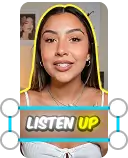
Are you looking to create attention-grabbing, ready-to-publish social media clips? Powered by AI, Vizard Agent can pick out the most engaging moments that will create engagement on social media and turn these moments into fully edited social media clips.
Speaker AI smart cut
Speaker auto-focus
Auto-generate social media posts
AI B-roll
AI Silence Remover
AI Bad Take Remover

Turn every recording into a content pipeline. Vizard Agent clips your best moments, adds captions, and resizes for every platform, while editing by instruction lets you polish a video in the time it takes to write a message.

Give it your website once and every video stays on brand. Repurpose webinars and product demos into social-ready videos, and get titles and captions written for each platform.

Trim long lectures into focused study clips, add accurate auto captions for accessibility, and translate your lessons so students can learn in the language they know best.
Bring in footage from anywhere, edit with AI, and export in the quality you need.
Upload video or audio files in any of these formats.
Paste a video link straight from any of these platforms.
Download your edited videos in the resolution you need.
Are you ready to get your videos more views and engagement on social media with less time and effort? Creating new video clips with our AI video editor couldn’t be simpler. Follow these steps to create videos with AI in 3 simple steps:

Upload or drag and drop your video to Vizard Agent, or paste a video link. Then tell it what you need in plain language — a tighter cut, captions, a highlight reel — the way you would brief an editor.

Once your video is in, the agent gets to work. Vizard Agent transcribes your video, finds the highlights, cuts the pauses, adjusts the ratio, adds captions and more — and checks its own cut before you see it. You get ready-to-publish videos made by AI.

Review the result, ask for any change in plain words, then click "Download." Your videos are ready to post on social media.
Video editing process can be incredibly time-consuming for many. Consider the amount of time you currently invest in creating, editing, and distributing a single video. AI editors are here to help you get the most out of your video content and enhance its performance.
From captioning and editing to the final export, creators often have to use separate tools to get the job done. However, with Vizard Agent, you can perform all these tasks in one place, streamlining your editing process in one browser.
Transform your content into a fresh collection of engaging short-form videos that drive sales. With Vizard's automatic video editor, you can expand your brand's reach, elevate your content standards, and hit your view targets in no time.
Don't worry about dealing with technical complexities or mastering new software. Vizard is intentionally designed to be user-friendly, catering to both beginners and experienced video editors alike. Even if you're editing a video for the first time, you'll find Vizard incredibly intuitive and easy to use.
Repurposing videos can be a daunting task. Going through the entire video or skimming through video transcripts to pick out the highlights can take hours. With Vizard's AI video editor, you can repurpose existing content into multiple videos, effortlessly creating social media content for weeks in just minutes. AI streamlines traditionally time-consuming processes, giving you more time to have fun with creative tasks such as brainstorming, storyboarding, and filming.With our powerful AI video editor online, you can effortlessly edit video content and get it ready for publishing in no time. Why spend hours on manual edits when you can leverage an intelligent video editor? With Vizard's video editing AI, being consistent while also keeping up with your posting schedule is no longer a dream.

Most AI editors cut clips mid-sentence. Vizard Agent reads the full context of your video before making a single cut, so every clip comes out with a clean beginning, a complete thought, and a natural ending. You get ready-to-post clips, not fragments that need fixing.

Vizard Agent is your go-to AI-powered video editing tool, designed to effortlessly transform long video footage into short-form content that’s perfect for platforms like YouTube Shorts, TikTok, Twitter, and Instagram Reels. Using advanced AI auto-clipping, Vizard automatically identifies and highlights the most engaging moments, turning them into viral-ready clips. Simply customize your request by typing a prompt—such as “Find Hugh Jackman’s reactions to spicy wings in the interview”—and let the AI generate social media-optimized clips in seconds.Vizard Agent also comes equipped with a powerful toolkit, including a brand kit, dynamic captions, an automatic caption generator, and titles, descriptions and hashtags written for each platform, so you can post consistently and frequently across YouTube Shorts, TikTok, Twitter, and Instagram.

Repurposing your long video into engaging short videos for different social media platforms is the best way to grow and scale your viewership. Instead of creating content separately for each channel and manually completing tasks such as changing the ratio, Vizard Agent offers an AI-based video editing solution that helps you create more with less. The AI video editor online can intelligently detect and select highlights, fine-tune your repurposed content by adjusting the aspect ratio, cropping, adding captions, and changing the layout as needed to fit different social media platforms. Cross-platform video distribution is made simple, and growing your audience across all channels is no longer a dream. Save hours of time and money on repetitive video editing tasks with AI!

Vizard Agent turns your words into the edit. Tell it which sentence to drop and the matching footage is gone. Trim filler, rearrange talking points, and polish your story as easily as writing a message. No timeline scrubbing, no editing skills needed.

Skip the blank canvas. Pick a template built for social media, hand over your clips, and Vizard Agent styles the captions, layouts, and branding for you. Stay on trend without starting from scratch every time.

Adding subtitles can significantly increase the reach of your content, making it more accessible to non-native and hard-of-hearing viewers, and allowing your audience to consume content in their preferred format. With Vizard Agent, AI takes care of everything for you. Every video you give it can be transcribed and captioned automatically in 30+ languages. Vizard Agent also translates and dubs your video, allowing you to speak the same language as your global audience. You no longer need to use expensive outsourced transcription services or spend hours doing it manually. Simply hand your video to Vizard Agent, and witness how it works its magic with AI for video editing and subtitling.
How to use AI for video editing?
Is there a free AI video editor?
How do AI video editors work?
Can AI edit videos for you?
Is there AI that edits videos for you?
What is the best AI video editing software for free?
Can AI video editors fully replace manual editing?
How reliable are AI tools for basic video edits?
Will AI video editors automatically adjust videos for different social platforms?
Can I use AI video editing for professional projects?
Can AI tools add subtitles and translate videos?
Are AI video editors beginner-friendly?
What’s the biggest advantage of using AI video editing?
What is text-based video editing?
What formats and export resolutions does the AI video editor support?
Can I schedule or auto-publish my videos?
AI video editing vs. manual editing: which is better?
How to use AI for video editing?
Is there a free AI video editor?
How do AI video editors work?
Can AI edit videos for you?
Is there AI that edits videos for you?
What is the best AI video editing software for free?
Can AI video editors fully replace manual editing?
How reliable are AI tools for basic video edits?
Will AI video editors automatically adjust videos for different social platforms?
Can I use AI video editing for professional projects?
Can AI tools add subtitles and translate videos?
Are AI video editors beginner-friendly?
What’s the biggest advantage of using AI video editing?
What is text-based video editing?
What formats and export resolutions does the AI video editor support?
Can I schedule or auto-publish my videos?
AI video editing vs. manual editing: which is better?
 The Vizard Team
The Vizard Team

The Vizard Team
The Vizard Team
The Vizard Team

The Vizard Team

The Vizard Team
The Vizard Team

Yao Wang

Yao Wang

Yao Wang
The Vizard Team